Widget Auditor
Widget Auditor finds which Elementor addon widgets your site uses, so you can cut the unused bloat safely.
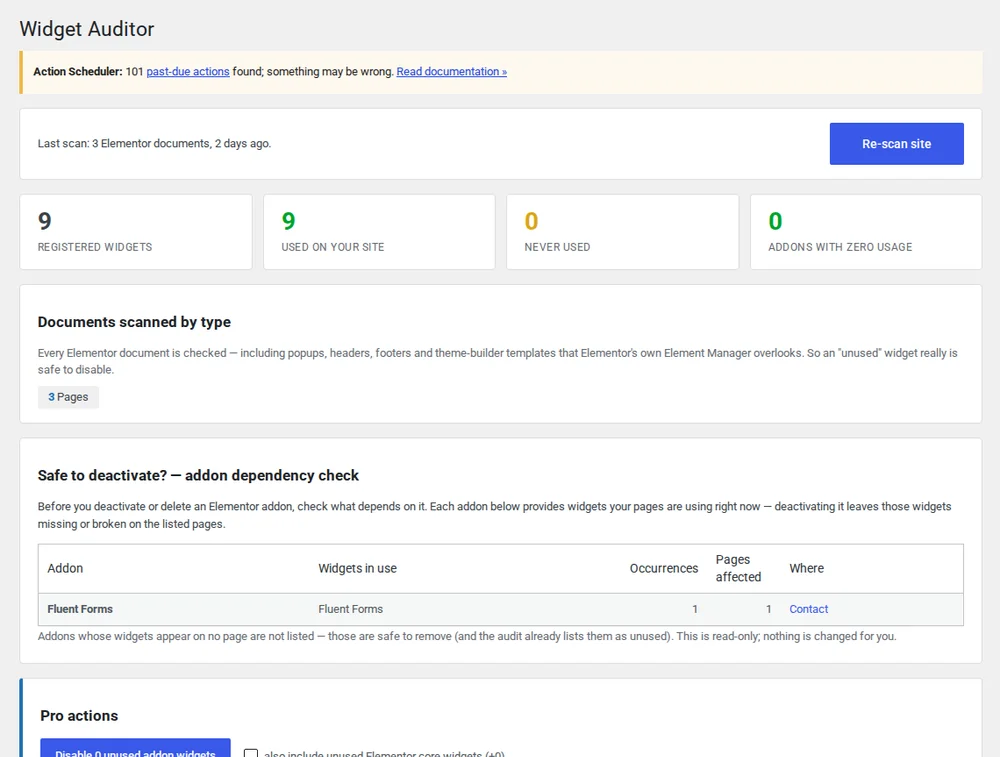
Your addon packs load CSS and JS for widgets you may never use.
Elementor addon bundles like Essential Addons and Happy Addons ship dozens of widgets, and many of them queue up CSS and JavaScript whether or not a single page uses them. You can't tell which addons are safe to remove, so you leave them alone, and the site keeps getting heavier. Widget Auditor maps which widgets are in use, where, and which plugin they come from, so you can see what's safe to cut.
See where every addon widget is used
Widget Auditor scans your whole site and builds a clear list of every Elementor addon widget, the exact pages it appears on, and the plugin it came from, replacing guesswork with a real inventory.
- Site-wide scan of every Elementor page and template
- Usage pages plus source-plugin attribution for each widget
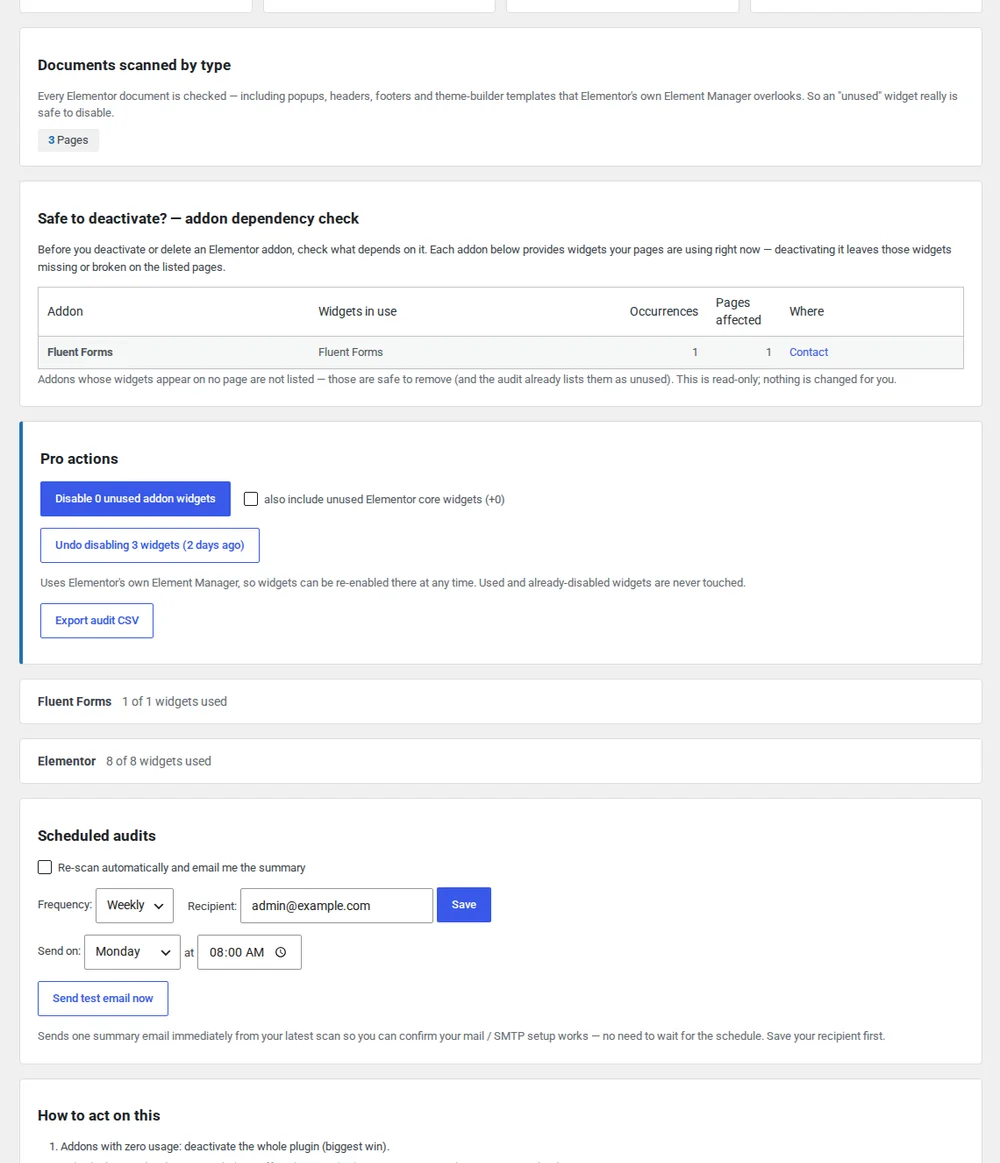
See the real asset weight
Widget Auditor shows how much CSS and JavaScript each addon pack loads, and surfaces the widgets with zero usage: dead weight that slows the site down for no benefit.
- CSS and JS weight per addon pack
- A clear list of zero-usage widgets
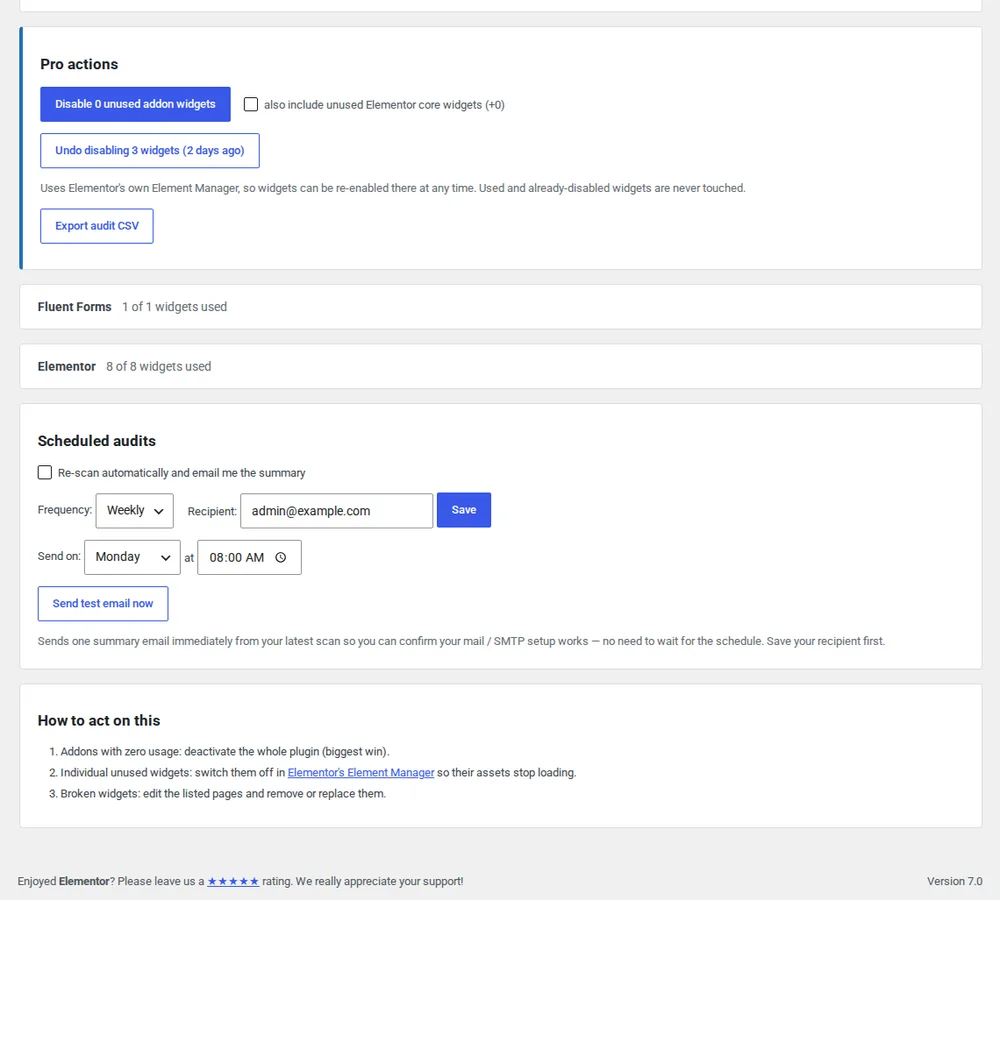
Confirm it's safe before you deactivate
Before you disable an addon, Pro checks whether any page still depends on it, so you don't break a layout you forgot about. Schedule scans to keep an eye on usage as your site changes over time.
- Pre-deactivation dependency check
- Scheduled scans with regular reports
Everything in Free stays free
The free version is a complete widget audit. Pro adds the safety net for removing addons.
| Feature | Free | Pro |
|---|---|---|
| Site-wide widget scan | ✓ | ✓ |
| Usage-page locator | ✓ | ✓ |
| Source-plugin attribution | ✓ | ✓ |
| Asset-weight analysis | ✓ | ✓ |
| Pre-deactivation dependency check | — | ✓ |
| Scheduled scans | — | ✓ |
Widget Auditor questions
- Which Elementor addons does it support?
- It detects widgets from Elementor core and from the major addon packs, including bundles like Essential Addons and Happy Addons. Because it identifies widgets by the plugin that registers them, it can attribute widgets across most common addon libraries, not only one.
- Will it delete widgets or change my pages automatically?
- No. Widget Auditor audits and reports; it never edits content, deactivates plugins, or removes widgets. What you keep and what you remove is your decision. The plugin gives you the information you need to make it.
- Does it support Elementor Pro widgets?
- Yes. Widgets registered by Elementor Pro are detected and attributed alongside core and third-party addon widgets, so your audit covers the full set of widgets on the site.
- Will deactivating an addon break my pages?
- It can, if a page still uses one of that addon's widgets. That's what the Pro pre-deactivation dependency check is built to prevent: it flags any page that still depends on an addon before you disable it, so you can fix or replace those widgets first.
See what your site uses today
Install the free version from wordpress.org. Upgrade to Pro when you want pre-deactivation dependency checks and scheduled scans.