Audit Lens
Audit Lens is an accessibility scanner. It finds issues and tells you, in plain language, what to fix, and never claims you're "compliant".
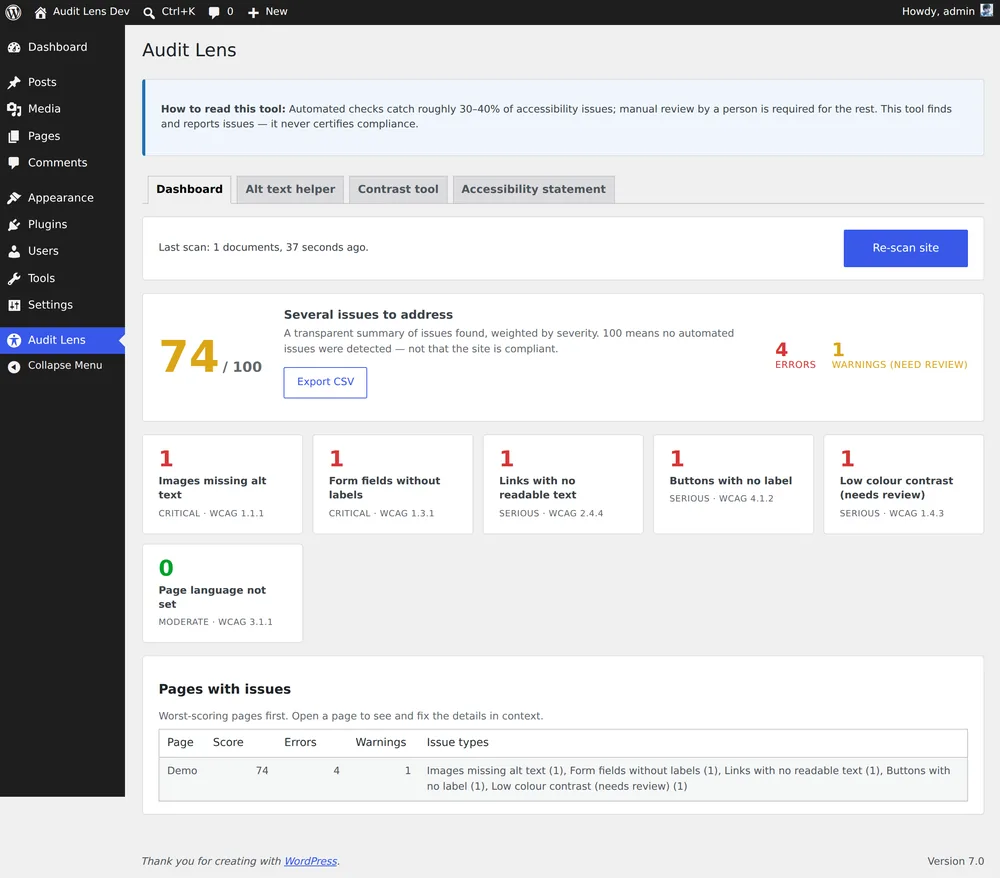
Most accessibility failures come down to a handful of recurring issues.
Across the web, most detected WCAG failures repeat a handful of problems: missing image alt text, unlabelled form fields, empty links and buttons, low contrast, and pages with no language set. Audit Lens spots those issues in plain language and shows you where to start fixing them, instead of handing you a single score that hides the detail.
The "WebAIM Million top six", in plain language
Audit Lens scans your whole site for the six checks behind roughly 96% of detected WCAG failures, then reports what it finds in plain language instead of a single score. It tells you which checks you pass and which need attention, so you can work toward WCAG instead of guessing.
- Image alt text, form labels, empty links, empty buttons, contrast, document language
- Site-wide scan, results in plain English, with a clear note of which checks you pass
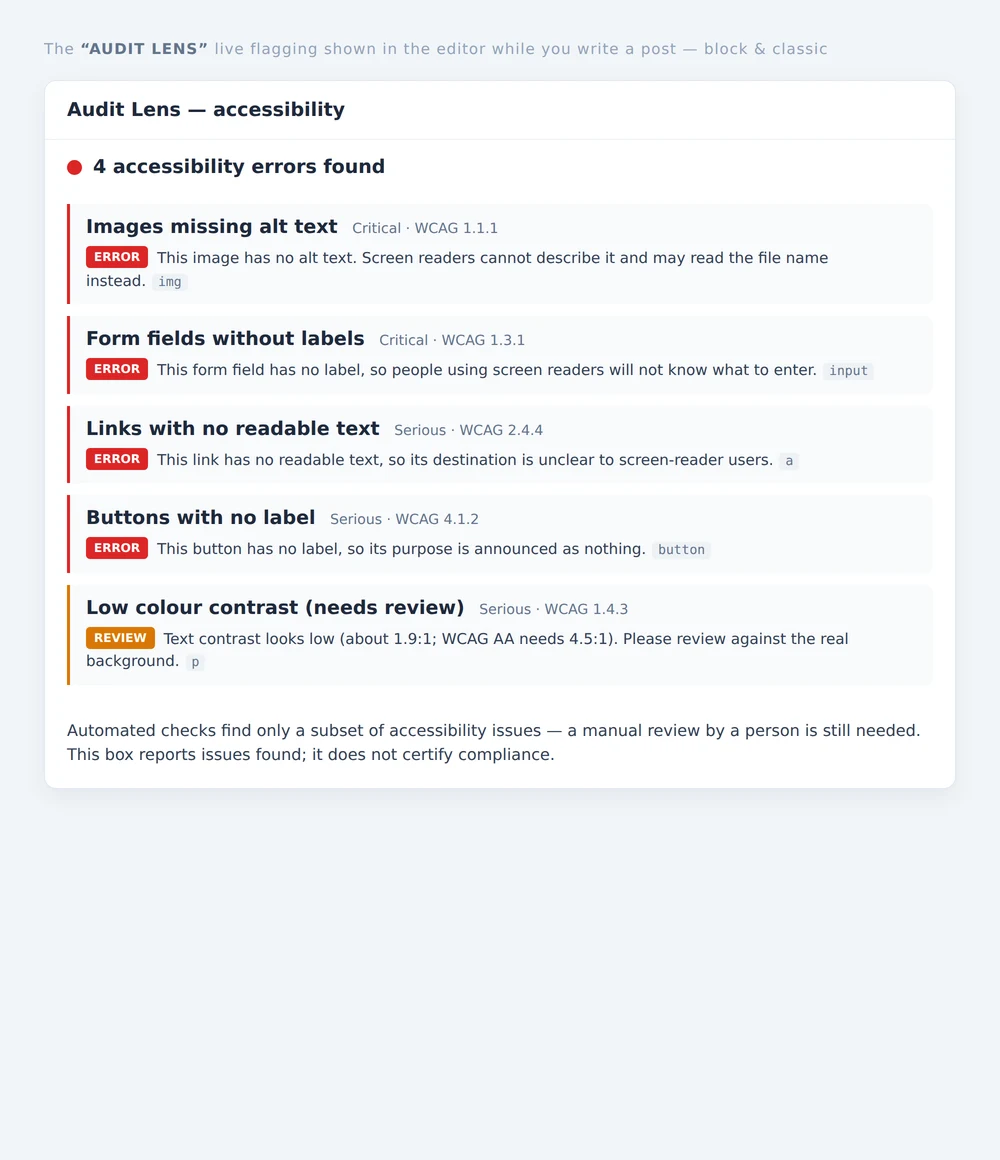
Catch issues as you write, right in the editor
Audit Lens flags problems inline, directly on the content inside the block editor, so you see an issue while you're writing, not weeks later in a separate report. Fix it at the source, where the content lives.
- Inline flags on the block being edited
- See and address issues as you type, before you publish
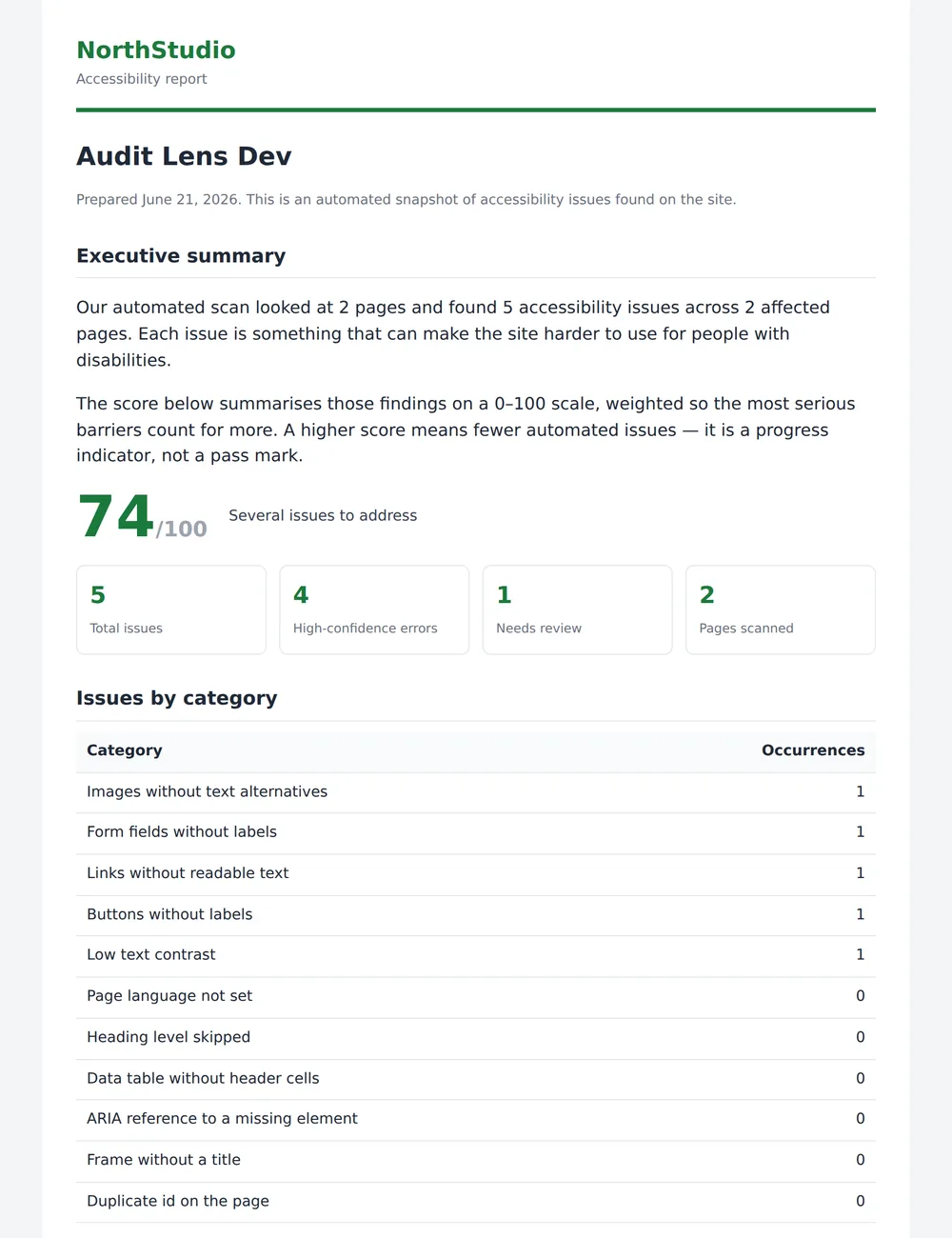
White-label client reports and an audit trail
Built for agencies: produce reports under your own brand, automatically emailed to clients on a schedule, and keep an audit trail of what was scanned and when. It can even start a VPAT/ACR draft for you, meant to be finished by a human, not a certification.
- White-label client reports, auto-emailed to clients
- Score history that tracks progress across scans
- A dismissal log with attribution: who marked which issue reviewed, and why
- VPAT/ACR draft for procurement (government, education, enterprise), finished by a human, not a certification
Everything in Free stays free
The free version is a complete scanner. Pro adds the agency-grade reporting layer.
| Feature | Free | Pro |
|---|---|---|
| Top-six checks | ✓ | ✓ |
| Site-wide scan | ✓ | ✓ |
| In-editor inline flagging | ✓ | ✓ |
| Plain-language results | ✓ | ✓ |
| White-label client reports, auto-emailed | — | ✓ |
| Audit trail | — | ✓ |
| VPAT/ACR draft | — | ✓ |
Audit Lens questions
- Can Audit Lens make my site "compliant"?
- No. Audit Lens finds and reports issues and tells you which checks you pass, but it never declares your site "accessible" or "compliant". Only a human can determine real accessibility. The consensus estimate: automated scans catch at most about 30–50% of WCAG issues. A clean scan is a starting point, not a finish line.
- Is this an overlay?
- No. Audit Lens is not an accessibility overlay and never rewrites your pages on the front end. It finds and reports issues so you can fix them at the source, in your own content and code, where real accessibility lives.
- What are the "top six" checks?
- They are the six issues highlighted by the WebAIM Million analysis: missing image alt text, missing form labels, empty links, empty buttons, low colour contrast, and a missing document language. Together these account for roughly 96% of the WCAG failures detected at scale, so Audit Lens focuses on finding them clearly.
- Can I use the VPAT/ACR draft as a formal certification?
- No. The VPAT/ACR output is a draft meant to help a human start writing. It is not a certification, and it is not a finished conformance claim. A real VPAT/ACR requires human judgement and testing. Audit Lens gives you a head start; the responsibility for the final document stays with you.
Start finding your real accessibility issues today
Install the free version from wordpress.org. Upgrade to Pro when you need white-label client reports and audit trails.
Want it built for you? We also set up and build WordPress sites: see our done-for-you service.
Audit Lens is for informational and self-help use only. It is not legal advice, a compliance certification, or a declaration of conformity. It reports issues and tells you which checks you pass; it does not make your site "compliant" or "accessible", and only a human can determine real accessibility. Automated scans catch at most about 30–50% of WCAG issues. Accessibility is an ongoing process, not a one-time checkbox: no tool can guarantee "continued compliance".