Margin Lens
WooCommerce shows you revenue. Margin Lens shows you real profit: per order, per product, after cost of goods.
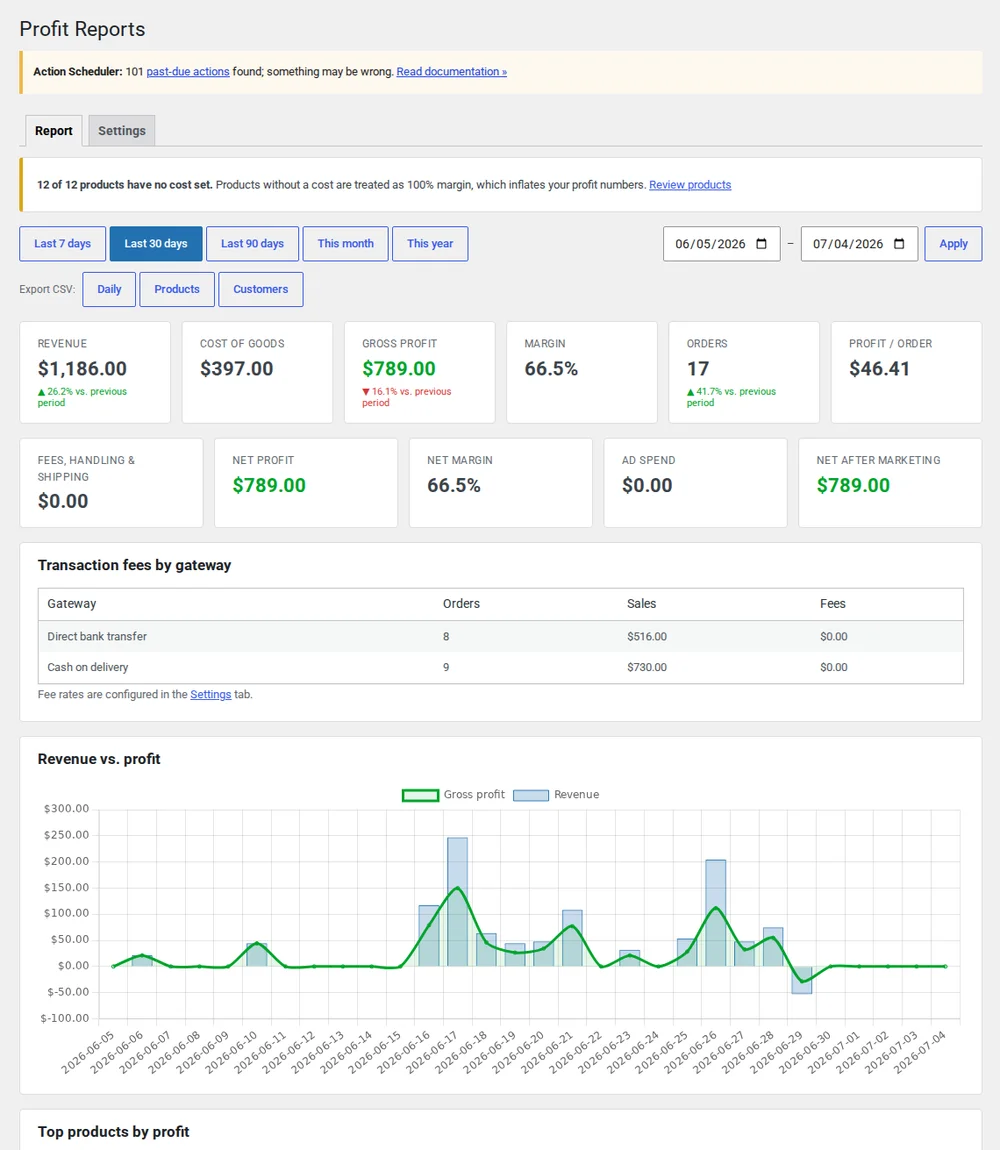
Revenue isn't profit. WooCommerce only shows you the first one.
Out of the box, WooCommerce reports sales, not what's left after the cost of goods. You don't know which orders made money, which products carry your margin, or whether that "best seller" is worth selling. Margin Lens closes that gap using WooCommerce's own Cost of Goods Sold data: no duplicate bookkeeping.
Real profit, not revenue
A gross-profit dashboard subtracts cost of goods from every sale, so the number you see is what you kept, not what you turned over.
- Gross profit and margin across any date range
- Profit on every single order, including partial refunds
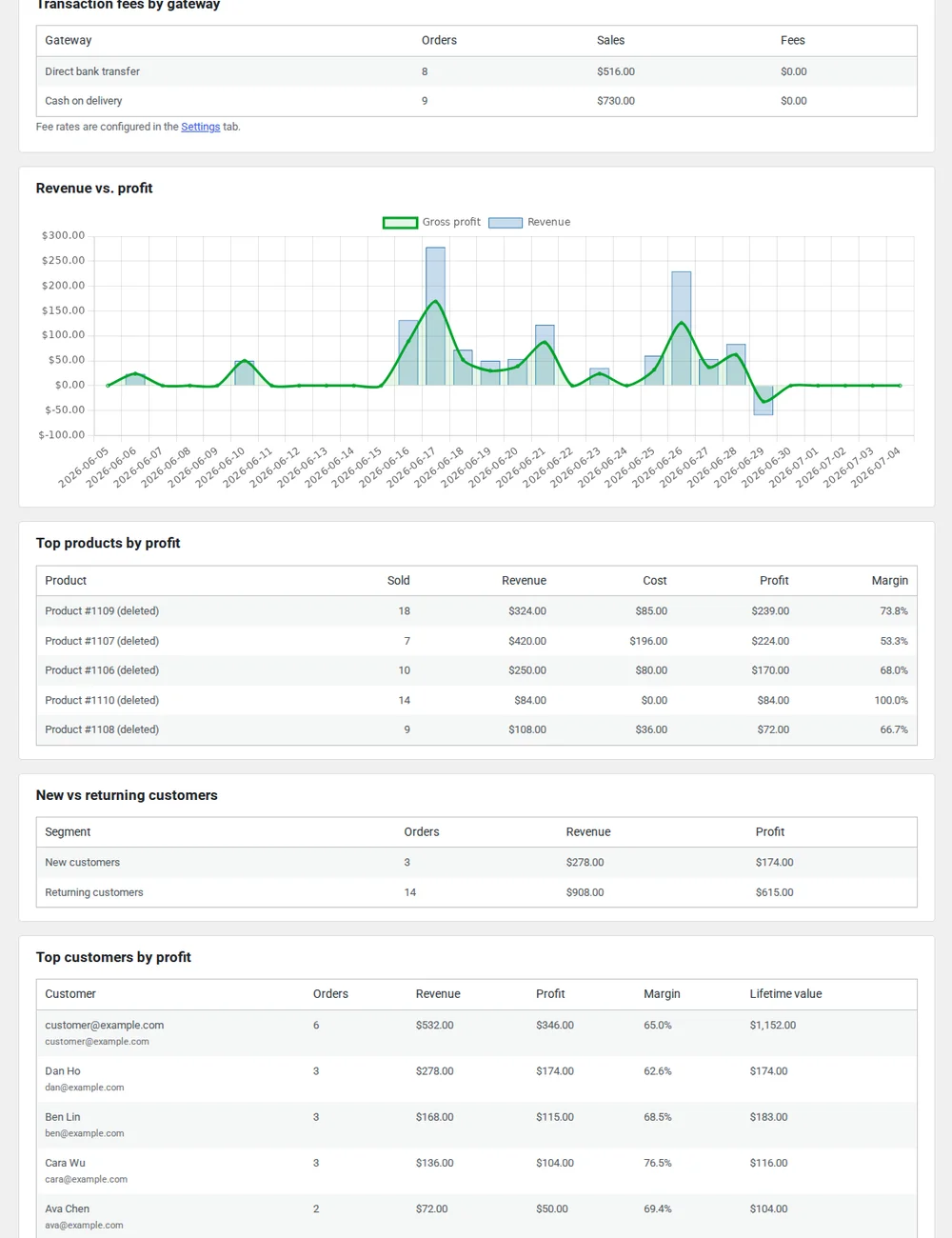
Find your real winners
Rank products by the margin they contribute, not units sold, so you can invest in what makes money.
- Top products by margin, not by revenue
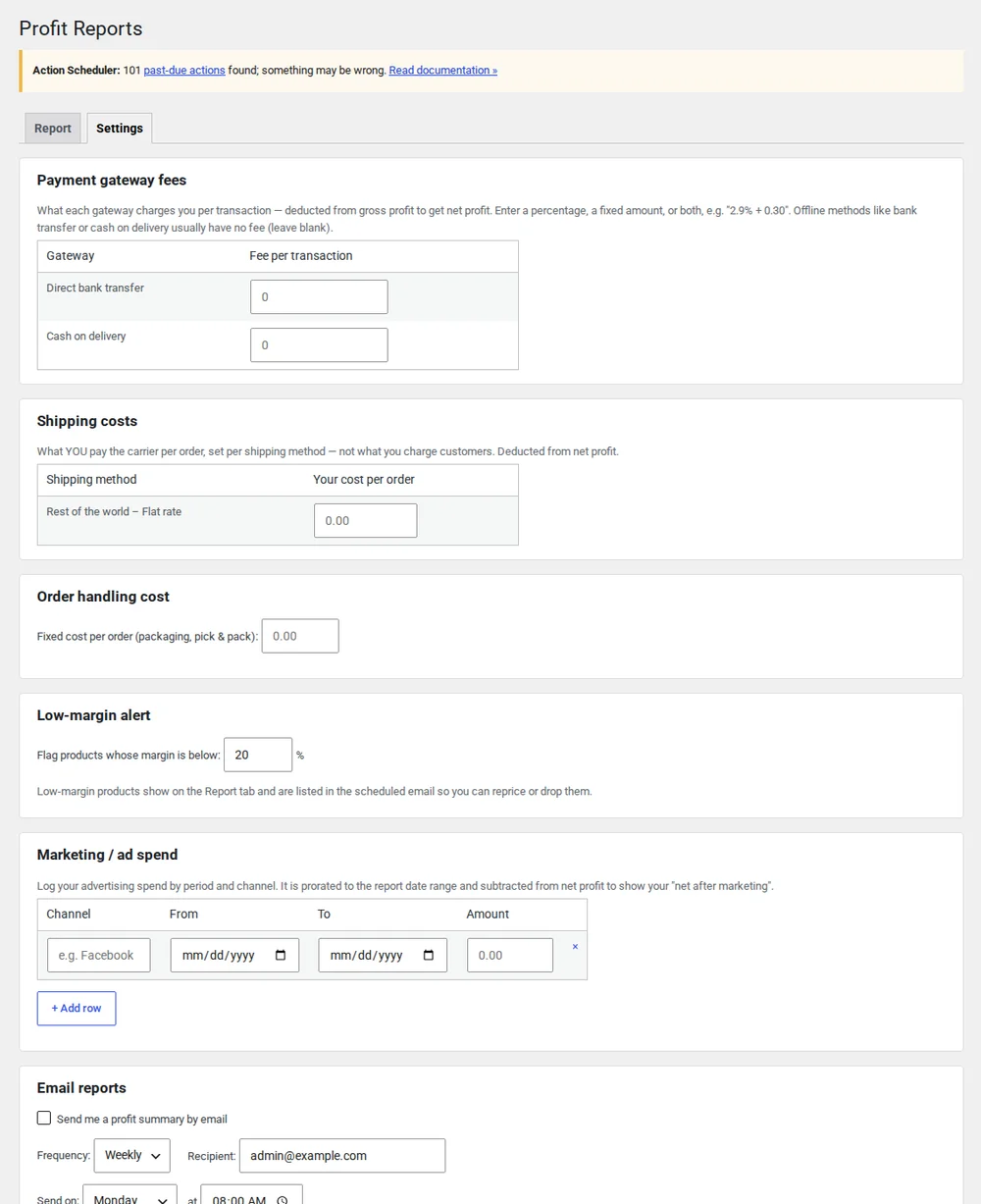
See profit after ad spend, and catch the losers early
Pull in advertising cost to see true net profit, track customer lifetime value, and get alerted the moment a product's margin slips below your threshold.
- Historical cost backfill (apply costs to your existing orders)
- Net profit after ad spend
- Customer lifetime value (LTV)
- Low-margin product alerts
Everything in Free stays free
The free version is a complete profit dashboard. Pro adds the marketing-aware numbers.
| Feature | Free | Pro |
|---|---|---|
| Gross-profit dashboard | ✓ | ✓ |
| Per-order profit & refunds | ✓ | ✓ |
| Top products by margin | ✓ | ✓ |
| Historical cost backfill | — | ✓ |
| Net profit after ad spend | — | ✓ |
| Customer LTV | — | ✓ |
| Low-margin alerts | — | ✓ |
Margin Lens questions
- Do I need to enter costs again if I already use WooCommerce Cost of Goods Sold?
- No. Margin Lens reads WooCommerce's native Cost of Goods Sold data directly, so there's no duplicate bookkeeping. If you haven't set costs yet, Margin Lens Pro's historical backfill can apply them to your existing orders in one pass.
- Does it work with HPOS (High-Performance Order Storage)?
- Yes. Margin Lens is HPOS compatible and works whether your store uses the new order tables or the legacy post-based storage.
- How are refunds handled in the profit figures?
- Refunds are subtracted from profit, including partial refunds, so the numbers reflect what you kept rather than gross sales.
- What does Pro add over the free version?
- The free version is a full gross-profit dashboard. Pro adds the marketing-aware layer: net profit after advertising spend, customer lifetime value, and alerts when a product's margin drops below a threshold you set.
- How is this different from WooCommerce's built-in Analytics?
- WooCommerce's Cost of Goods Sold feature stores a cost on each product and order, but its built-in Analytics reports don't show cost or profit: there's no profit column in WC 10.9. Margin Lens reads the same WooCommerce analytics table (wc_order_stats), so your revenue figures stay consistent and never conflict. It turns that stored cost data into the profit reports WooCommerce doesn't provide. It also adds what Analytics doesn't: honest warnings when cost coverage is partial and profit may be overstated, sorting by gross margin, one-click enabling of COGS, and missing-cost flags. Pro can backfill historical costs onto orders placed before COGS was turned on, which the native tools can't do.
Start seeing your real profit today
Install the free version from wordpress.org. Upgrade to Pro when you want ad-spend net profit and LTV.