Shortcode & Block Auditor
Shortcode & Block Auditor finds the mess removed plugins leave behind: leftover broken shortcodes (raw [bracket] text) and broken Gutenberg blocks.
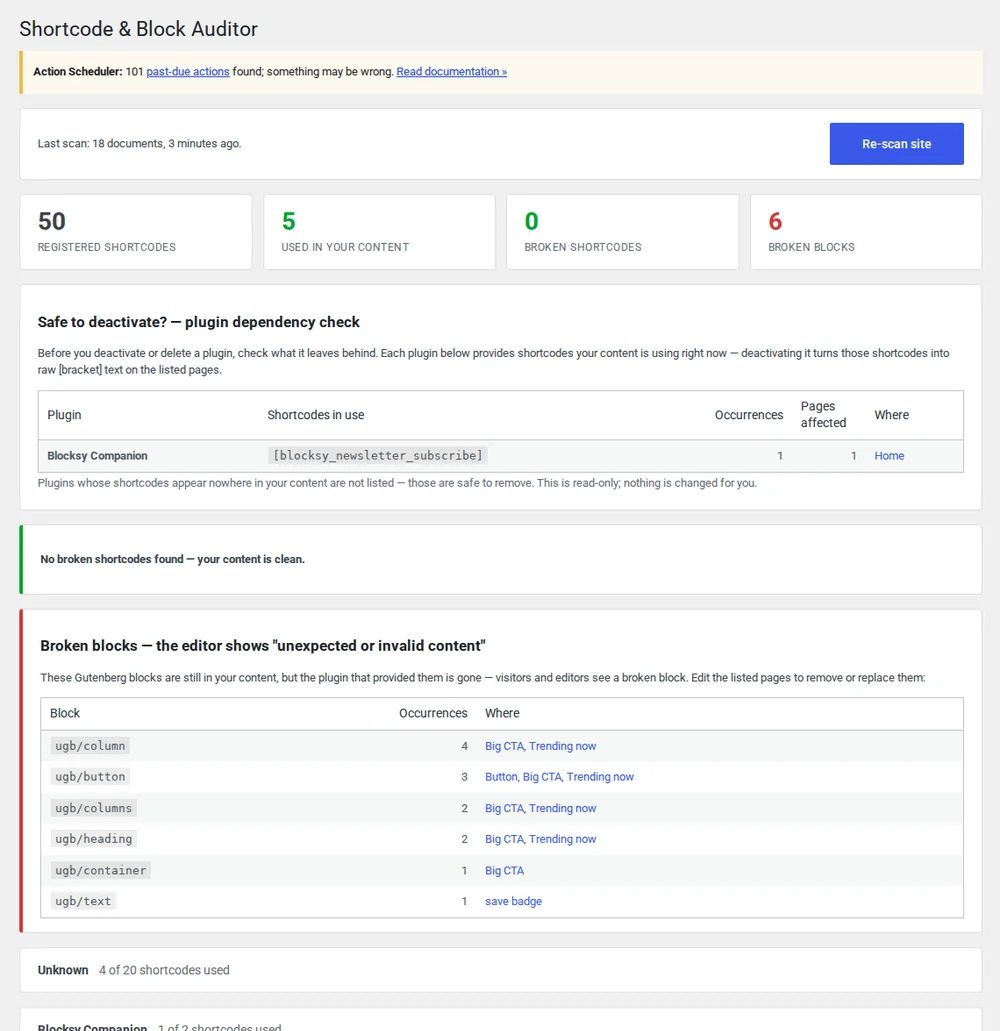
Removing a plugin doesn't clean up what it leaves broken.
Deactivate or delete a plugin and the shortcodes it registered stop working: on the front end they turn into raw [shortcode] text your visitors can see. The Gutenberg blocks it added break too, showing "This block contains unexpected or invalid content." That leftover damage is scattered across hundreds or thousands of posts and pages, and finding every instance by hand is nearly impossible. Shortcode & Block Auditor scans the whole site and tells you what broke and where.
Find every broken shortcode
Shortcode & Block Auditor scans all your content and shows every shortcode in use, cleanly split into "registered" (still backed by an active plugin) and "broken" (no plugin left to handle it). Escaped [[brackets]] are handled correctly, so deliberate examples aren't mistaken for damage.
- Registered vs broken (no matching plugin), side by side
- Correctly skips escaped [[brackets]] used as examples
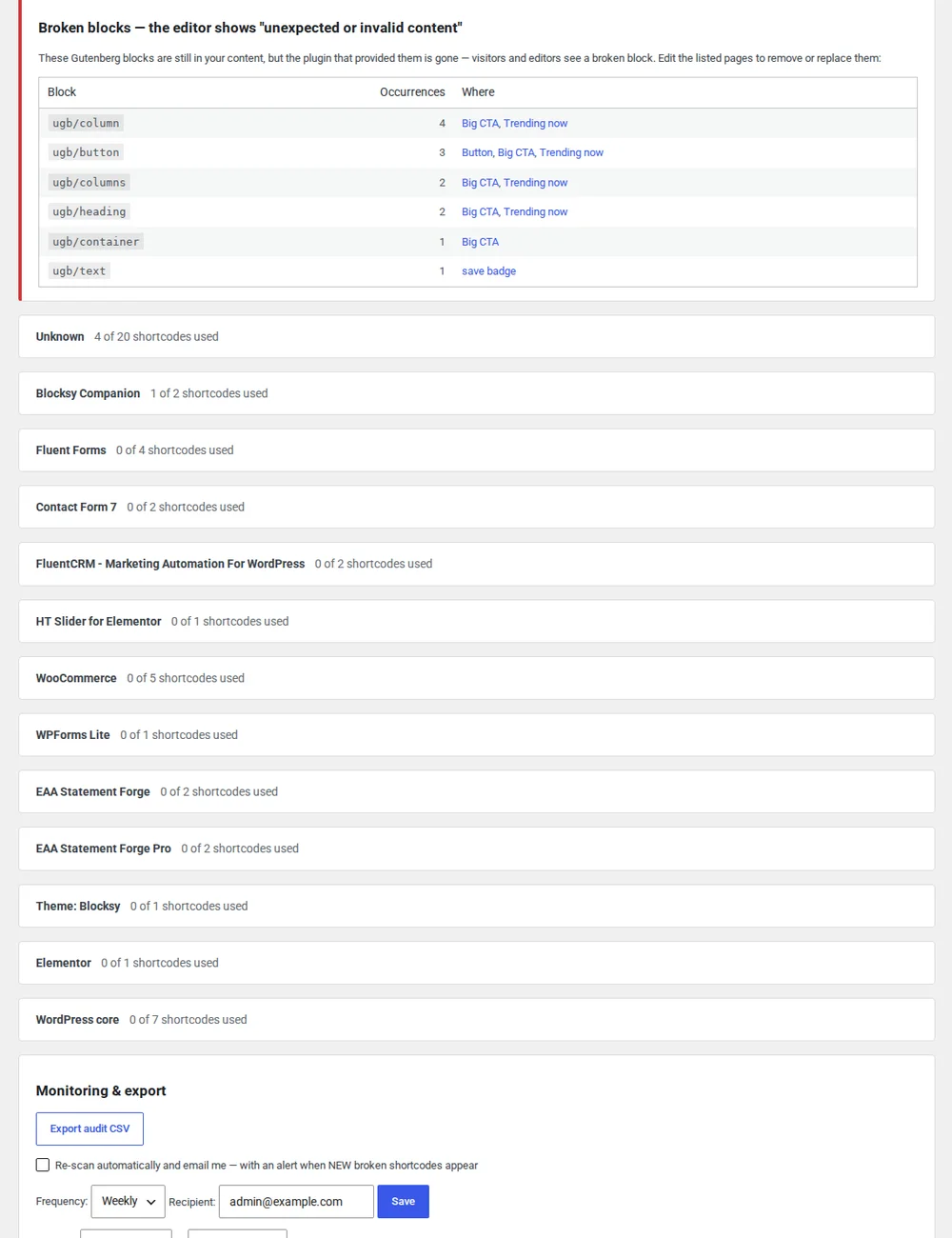
Catch broken blocks
Shortcode & Block Auditor parses your Gutenberg content to find orphaned blocks: the ones whose source plugin is no longer installed, rendering the "unexpected or invalid content" warning. Each one is pinned to the exact page it appears on, so you know where to go.
- Detects orphaned blocks from removed plugins
- Pinpoints every page each broken block appears on
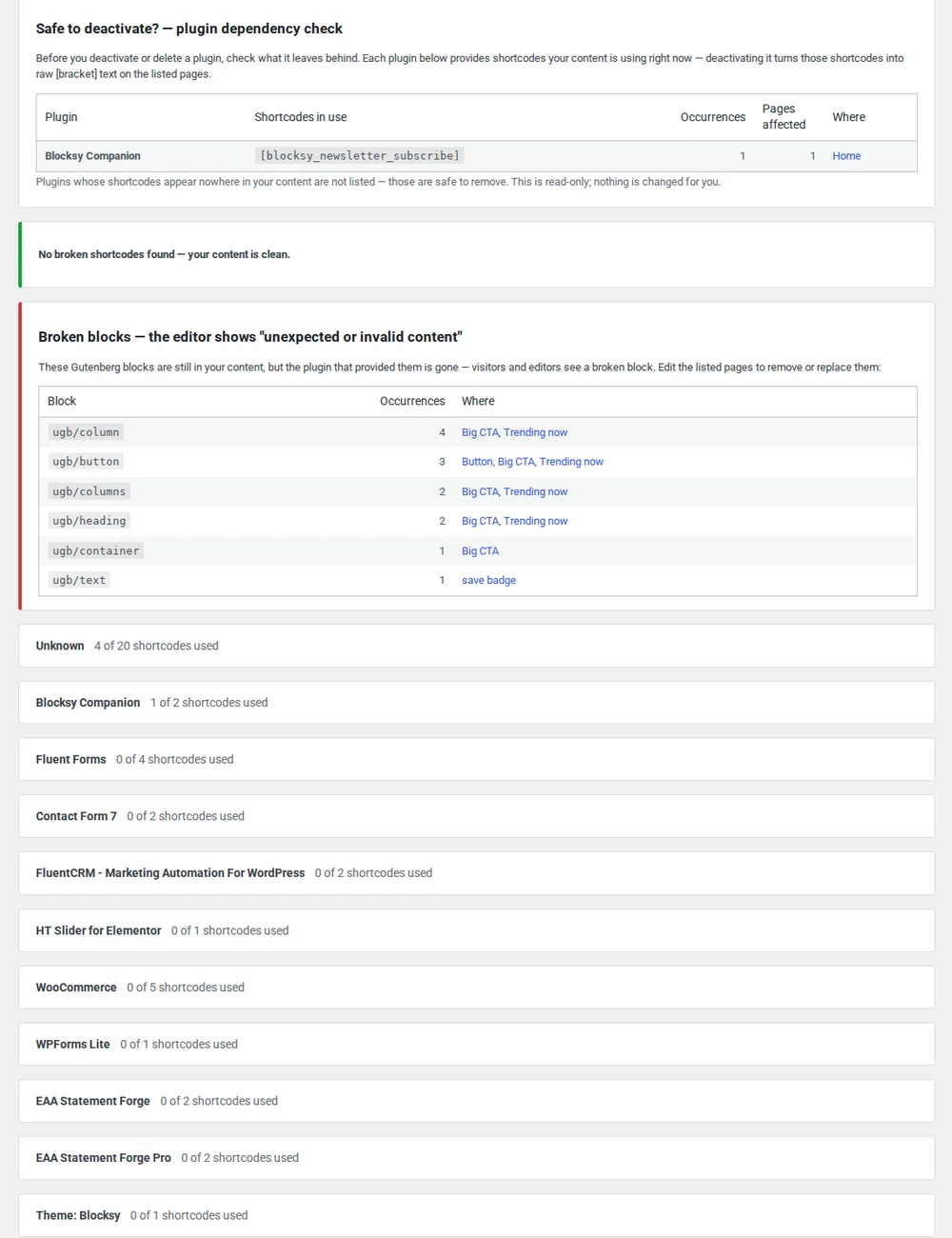
Deactivate safely, and hear about new breakage first
Before you turn a plugin off, Pro answers the question that matters: "is any content still using its shortcodes or blocks?" And once you're clean, it watches for new breakage and tells you the moment something starts rendering as raw brackets.
- "Safe to deactivate?" dependency check before you switch a plugin off
- Proactive alerts when new broken shortcodes or blocks appear
Everything in Free stays free
The free version finds and locates every broken shortcode and block. Pro adds the safety net.
| Feature | Free | Pro |
|---|---|---|
| Broken shortcode detection | ✓ | ✓ |
| Broken block detection | ✓ | ✓ |
| Pinpoint every occurrence | ✓ | ✓ |
| Registered vs unregistered split | ✓ | ✓ |
| "Safe to deactivate?" dependency check | — | ✓ |
| New-breakage alerts | — | ✓ |
Shortcode & Block Auditor questions
- Will it edit or delete my content automatically?
- No. The auditor only scans and reports. It never changes, removes, or "fixes" anything on its own. What to do about each broken shortcode or block is your decision.
- Will it flag escaped [bracket] examples I'm showing on purpose?
- No. It recognises escaped
[[brackets]], so shortcodes you've deliberately written out as text examples aren't counted as broken. Only unhandled shortcodes are flagged. - Does it check drafts and trashed content too?
- It scans both published and unpublished content: published, private, draft, pending and scheduled posts, so problems surface before they go live. Trashed content is skipped, since it's on its way out anyway.
- Does it support the Classic editor and the block editor?
- Both. Shortcodes are detected in Classic-editor and block-editor content alike, and the block parser handles Gutenberg content to find orphaned blocks, whichever editor your site uses.
See what removed plugins left behind
Install the free version from wordpress.org. Upgrade to Pro when you want safe-deactivation checks and new-breakage alerts.