Profit Lens
WooCommerce shows you revenue. Profit Lens shows you real profit — per order, per product, after cost of goods.
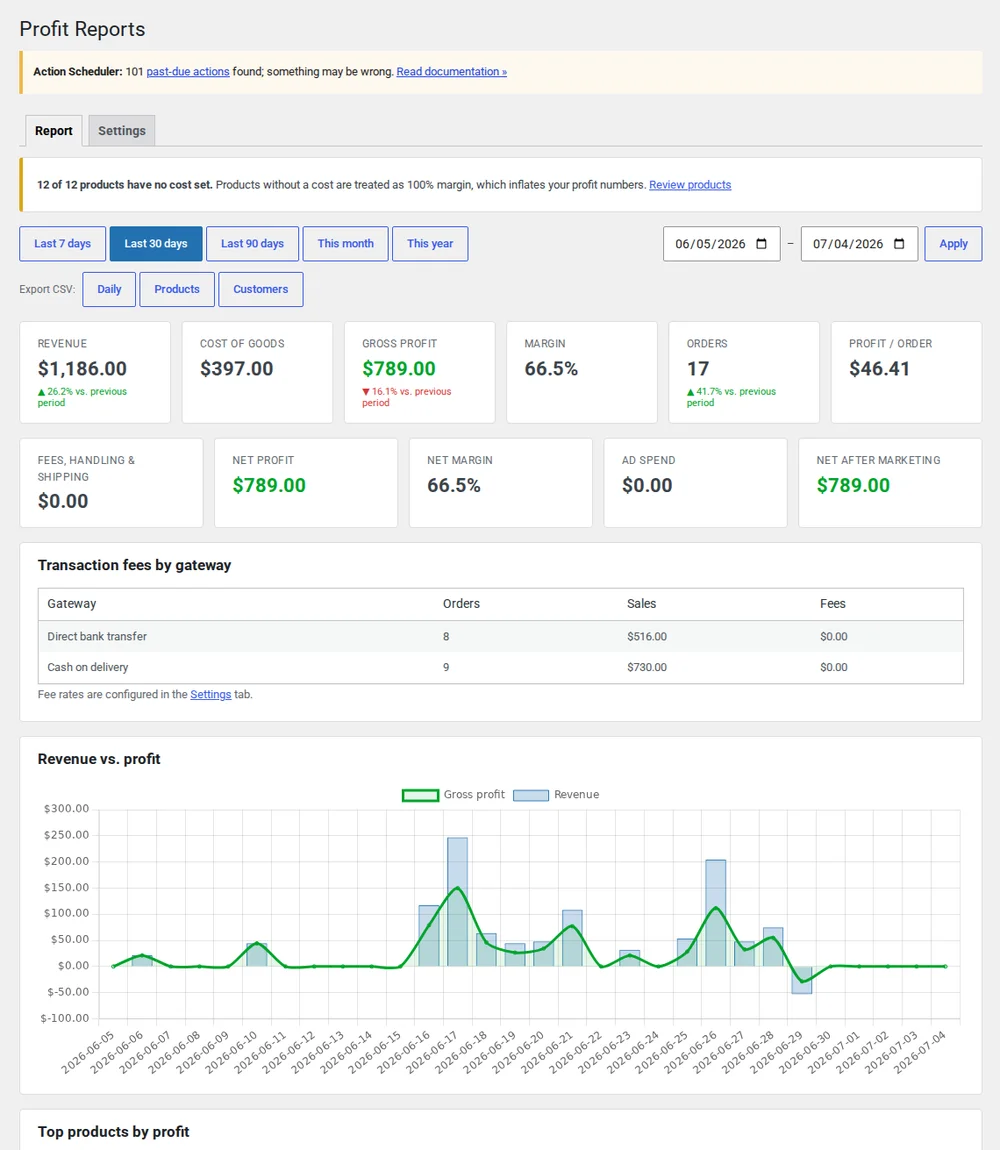
Revenue isn't profit. WooCommerce only shows you the first one.
Out of the box, WooCommerce reports sales — not what's left after the cost of goods. So you don't really know which orders made money, which products carry your margin, or whether that "best seller" is actually worth selling. Profit Lens fills that gap using WooCommerce's own Cost of Goods Sold data — no duplicate bookkeeping.
Real profit, not just revenue
A gross-profit dashboard that subtracts cost of goods from every sale — so the number you see is what you actually kept, not what you turned over.
- Gross profit and margin across any date range
- Profit on every single order, including partial refunds
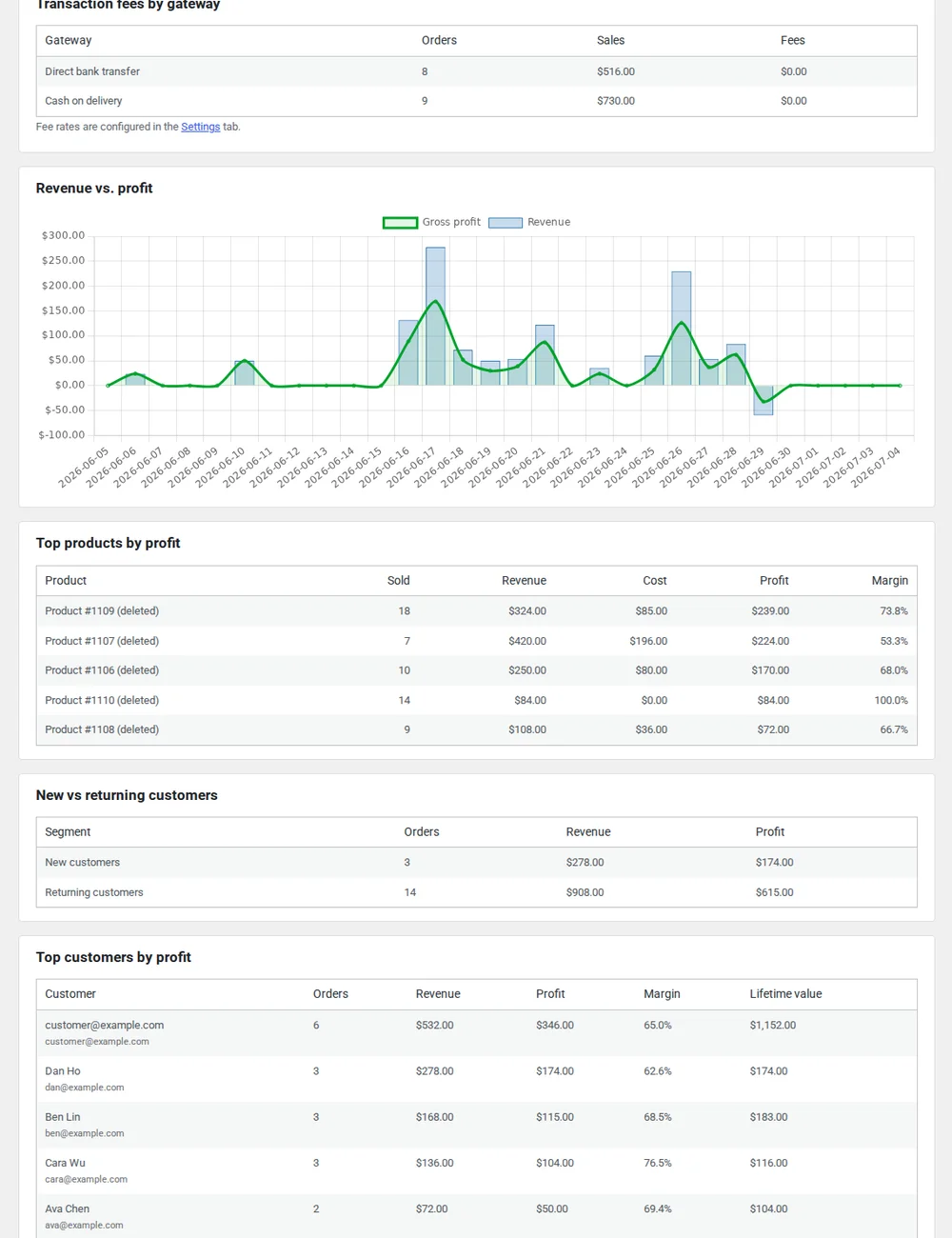
Find your real winners
Rank products by the margin they actually contribute — not just units sold, so you can double down on what really makes money.
- Top products by margin, not by revenue
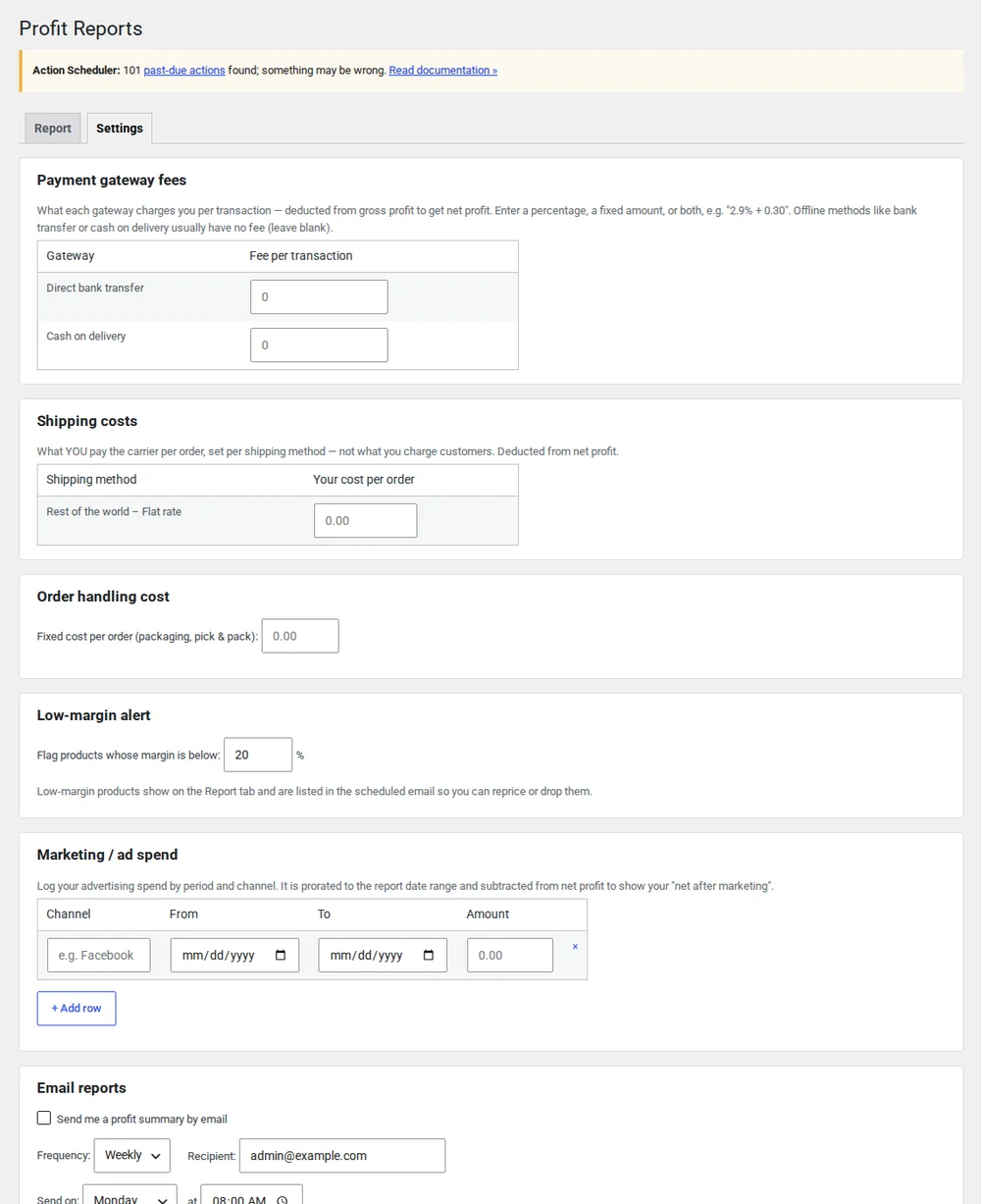
See profit after ad spend — and catch the losers early
Pull in advertising cost to see true net profit, track customer lifetime value, and get alerted the moment a product's margin slips below your threshold.
- Historical cost backfill (apply costs to your existing orders)
- Net profit after ad spend
- Customer lifetime value (LTV)
- Low-margin product alerts
Free vs Pro
Everything in Free stays free
The free version is a complete profit dashboard. Pro adds the marketing-aware numbers.
| Feature | Free | Pro |
|---|---|---|
| Gross-profit dashboard | ✓ | ✓ |
| Per-order profit & refunds | ✓ | ✓ |
| Top products by margin | ✓ | ✓ |
| Historical cost backfill | — | ✓ |
| Net profit after ad spend | — | ✓ |
| Customer LTV | — | ✓ |
| Low-margin alerts | — | ✓ |
FAQ
Profit Lens questions
Do I need to enter costs again if I already use WooCommerce Cost of Goods Sold?
No. Profit Lens reads WooCommerce's native Cost of Goods Sold data directly, so there's no duplicate bookkeeping. If you haven't set costs yet, Profit Lens Pro's historical backfill can apply them to your existing orders in one pass.
Does it work with HPOS (High-Performance Order Storage)?
Yes. Profit Lens is HPOS compatible and works whether your store uses the new order tables or the legacy post-based storage.
How are refunds handled in the profit figures?
Refunds are subtracted from profit, including partial refunds, so the numbers reflect what you actually kept rather than gross sales.
What does Pro add over the free version?
The free version is a full gross-profit dashboard. Pro adds the marketing-aware layer: net profit after advertising spend, customer lifetime value, and alerts when a product's margin drops below a threshold you set.
How is this different from WooCommerce's built-in Analytics?
WooCommerce's Cost of Goods Sold feature stores a cost on each product and order, but its built-in Analytics reports don't show cost or profit — there's no profit column in WC 10.9. Profit Lens reads the same WooCommerce analytics table (wc_order_stats), so your revenue figures stay consistent and never conflict; it simply turns that stored cost data into the profit reports WooCommerce itself doesn't provide. On top of that it adds what Analytics doesn't: honest warnings when cost coverage is partial and profit may be overstated, sorting by gross margin, one-click enabling of COGS, and missing-cost flags — and Pro can even backfill historical costs onto orders placed before COGS was turned on, which the native tools can't do.
Start seeing your real profit today
Install the free version from wordpress.org. Upgrade to Pro only when you want ad-spend net profit and LTV.